Assignment 1 - Part A: Revision on C++
Objectives
- Git: Submit your first assignment using Git and GitHub.
- C++: Creating variables.
- C++: Using arithmetic operations on variables.
- C++: Using control statements: If, else if, else, while, for, switch-case.
- C++: Play with simple functions.
- C++: Play with namespace.
Prerequisites (Before you start)
- Read the notes of the first week Part 1: C++ Basics
- Install Qt Creator. See Installing and running Qt Creator IDE
Deadline
Saturday, 1st March 2020, 11:59 PM.
Assignment Registration
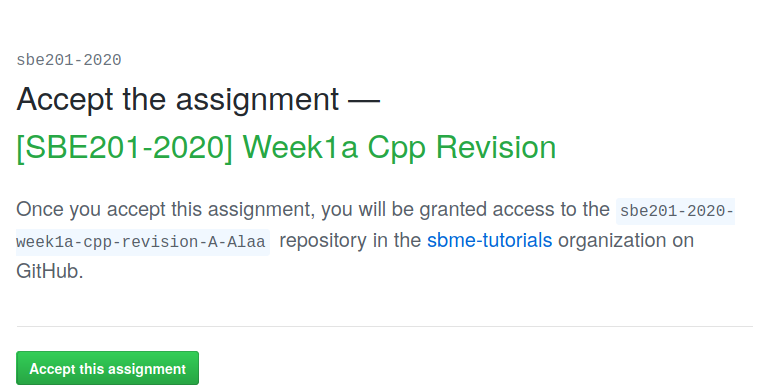
- Join the assignment page [SBE201-2020] Week1a Cpp Revision.
| Press on Accept this assignment |
|---|
 |
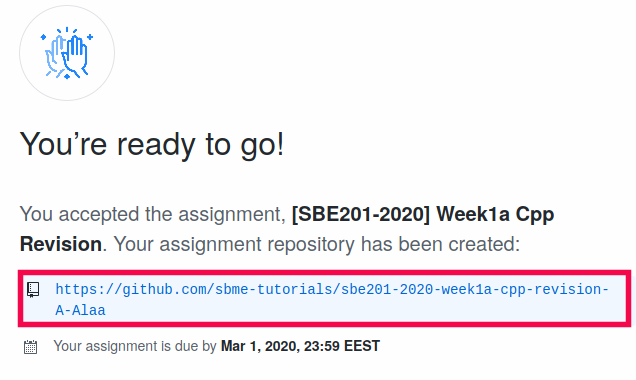
| Ready to go, click on the generated link |
|---|
 |
| Clone your remote repository to your machine |
|---|
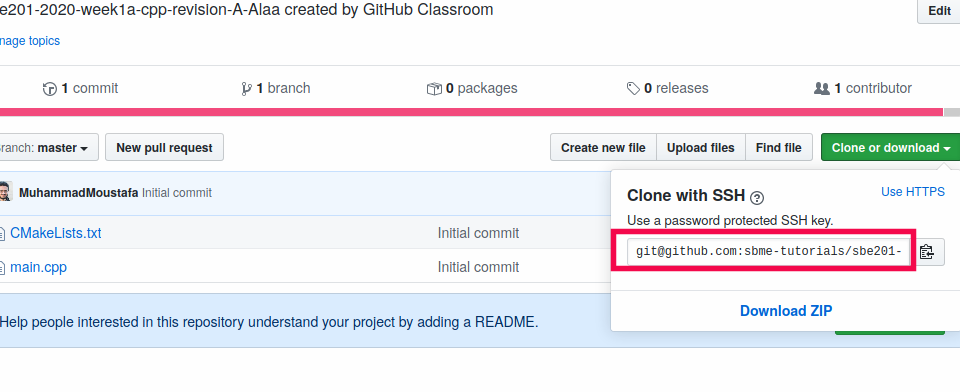 |
from the terminal git clone your_link |
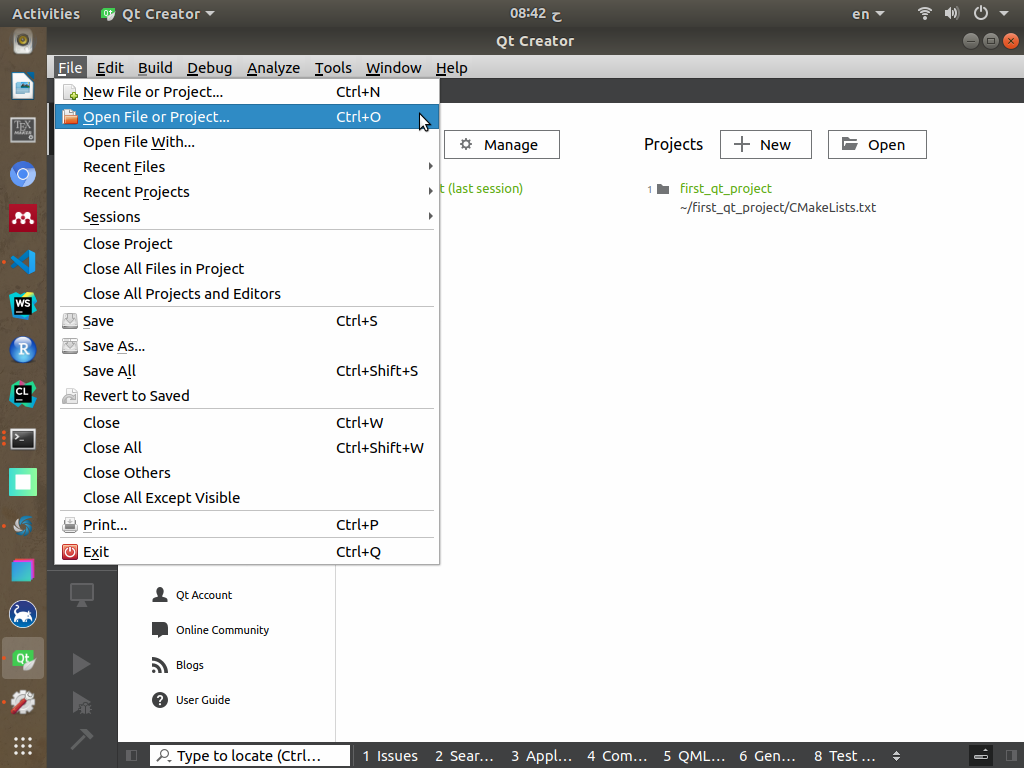
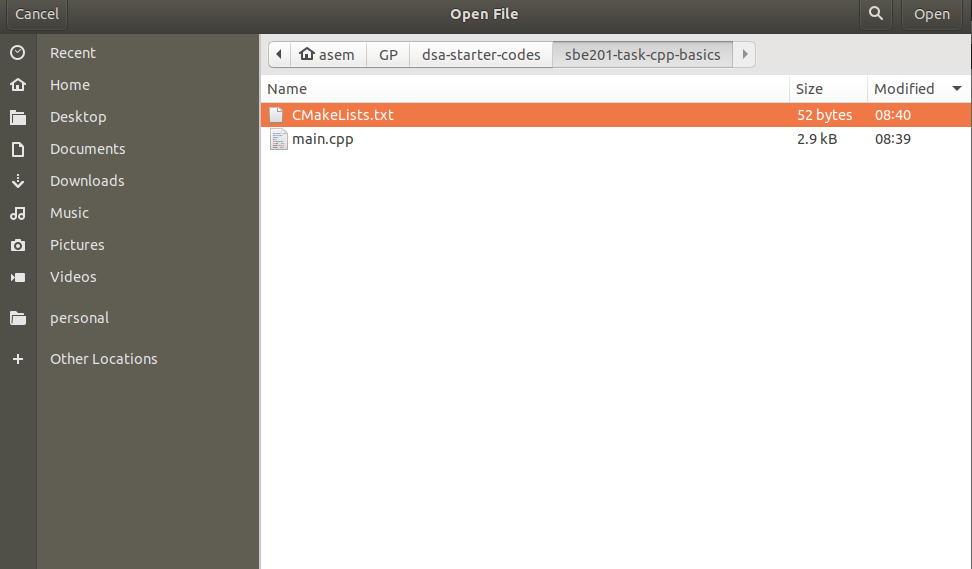
| Using Qt Creator, select File->Open File or Project.. |
|---|
 |
Go to your assignment directory and select the CMake file CMakeLists.txt |
|---|
 |
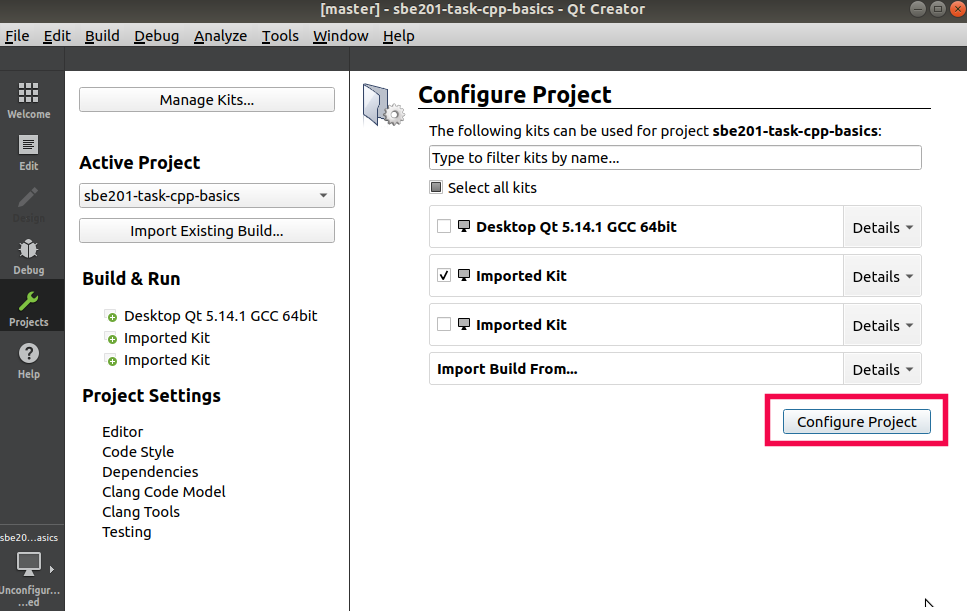
| Press Configure |
|---|
 |
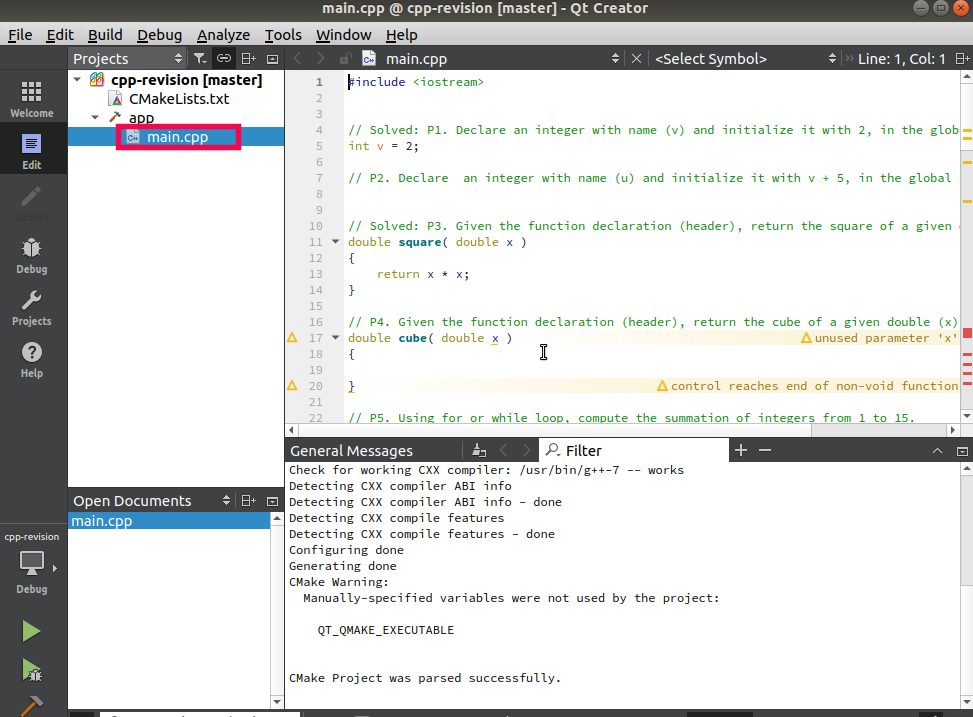
Open the main.cpp file. You will find the questions as in-line comments. Questions P1 and P3 are solved for you to be more familiar. |
|---|
 |
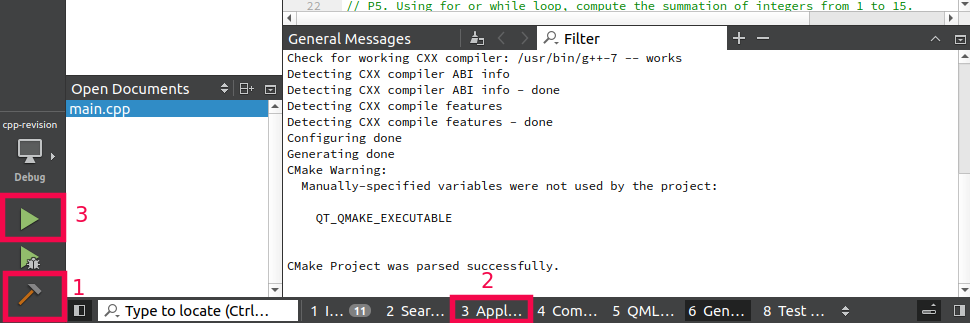
| To compile and run.. |
|---|
 |
Submission
| Open a terminal in the assignment directory |
|---|
 |
$ git commit -a -m "solved all problems!"
$ git push origin master
Notes
- You can push all solutions with a single
commitand a singlepush. -
You can also solve each problem separately and
commitandpushfor each problem you solve:- So you practice yourself with
gitcommands. - So you realize some significance of using
gitto work on large projects.
- So you practice yourself with